Persistence #
SemSpect provides mechanisms to persist analysis logic, annotate findings, and extend the graph taxonomy. This module covers Saved Explorations, Custom Classes, and Sharing Workflows.
Dynamic Persistence
Saved items preserve the query logic (the sequence of expansions and filters), not a static snapshot of data. If the underlying dataset changes, loading a Saved Exploration will reflect the current state of the database.
Saved Explorations #
A Saved Exploration preserves the logical state of the analysis: the order of group expansions, applied filters, and active annotations.
Logic over Layout
Saving persists the structure (topology), not the exact visual layout (x/y coordinates). When loaded, the graph re-arranges itself according to the saved logic.
Creating a Save #
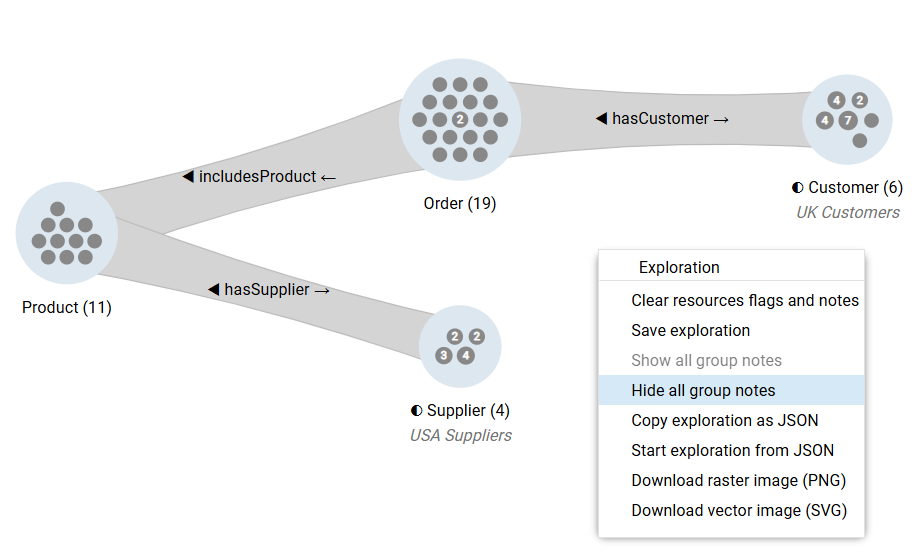
- Context Menu: Right-click the canvas background and select Save exploration.
- Main Menu: Open the Exploration dropdown menu (top-left) and select Save exploration.
- Naming: Names must be unique within their folder.
Annotations (Group Notes) #
Add context to the analysis by attaching text notes to specific groups.
- Add Note: Right-click a group and select Add note.
- Visibility: Toggle Hide all group notes in the canvas context menu to declutter the view for screenshots.
Updating an Active Exploration #
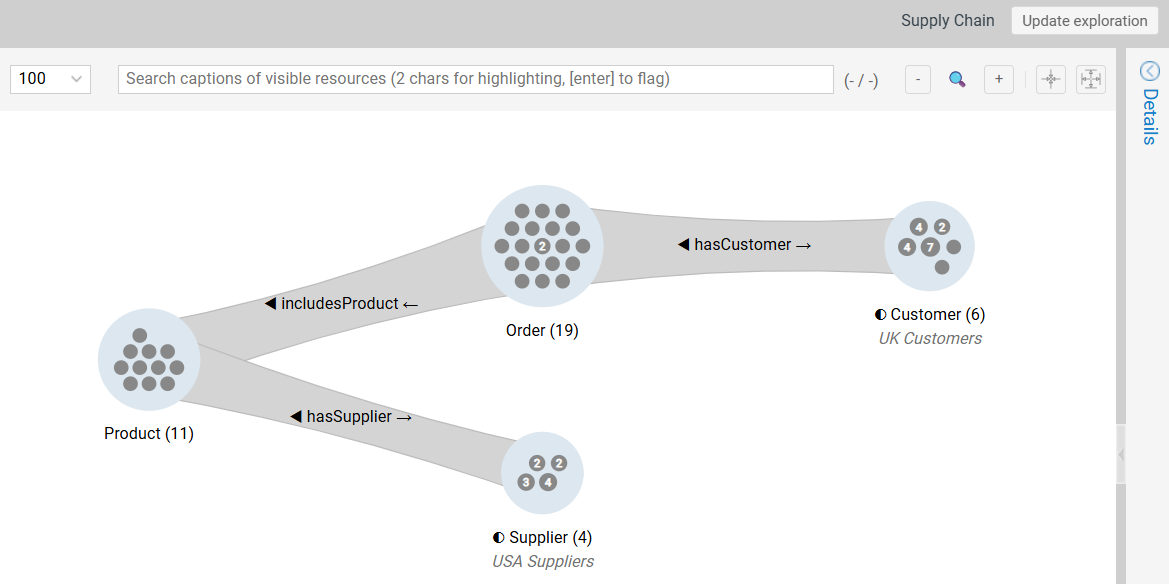
If you modify a loaded exploration (e.g., add a filter), SemSpect detects the change. Click the Update exploration button in the top-right corner to overwrite the saved definition.
Custom Classes #
Create Custom Classes to analyze data from specific perspectives (e.g., defining a “High-Risk Supplier” based on location and contract type).
These act as “Virtual Classes” within the visualization layer. They allow clustering without altering the underlying ontology.
Defining a Custom Class #
- Refine: Filter a group to isolate the specific cohort (e.g., “Suppliers located in Germany”).
- Define: Right-click the node and select Add SemSpect class for this group.
- Name: Assign a unique name.
Non-Destructive Analysis
Custom Classes are non-destructive. They exist only in the visualization layer and do not write changes back to the RDF store.
Usage & Integration #
Once defined, a Custom Class integrates into the UI:
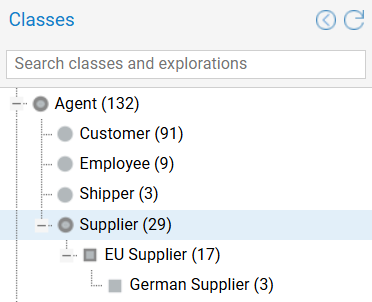
- Sidebar: Appears in the SemSpect Classes list.
- Histograms: Appears in distribution charts, allowing you to see how many “High-Risk Suppliers” exist within a larger “Supplier” group.
- Hierarchy: Definitions are composable. You can create a Custom class based on another Custom class.
Sharing & Portability #
Method A: Server-Side Deep Links #
Share a direct link to a persisted resource. The recipient must have access to the same SemSpect server.
- Explorations: Right-click an exploration in the Sidebar → Copy → Copy deep link.
- Classes: Right-click a class in the Sidebar → Copy → Copy deep link.
Method B: Stateless JSON Sharing #
Share a “snapshot” without creating a server record. This embeds the state directly into a text string.
- Export: Right-click the canvas and select Copy exploration as JSON.
- Share: Send the text blob to another user.
- Import: The recipient selects Start exploration from JSON from the canvas context menu and pastes the string.